AI-POWERED DOCS
What do you want to know?
Cropped ROI Endpoint (Classification Only)
Overview
The cropped_roi endpoint provides access to cropped Regions of Interest (ROIs) generated from classification results in Haystack running on the device.
Haystack does not currently support segmentation results. This endpoint works only for classification-type results. If you need to process segmenter output programmatically, use the standard inspection results API instead.
The base URL format is:
http://{device-ip}/edge/haystack/cropped_roi/{classification_result_id}
How It Works
When the camera completes a classification capture, The Node-RED flow dynamically constructs URLs for the cropped ROI images by pairing the device IP and classification result ID:
const imageUrl = `http://${baseUrl}/edge/haystack/cropped_roi/${result.id}`;
Each URL serves a cropped image corresponding to individual classification ROI, typically representing a single inspection.
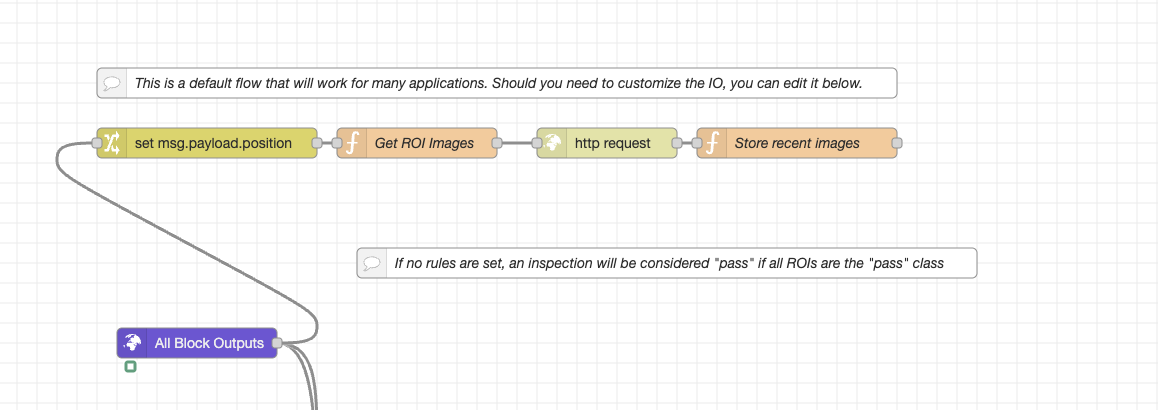
Node-RED Flow Summary
The ROI_Crop flow performs the following:
-
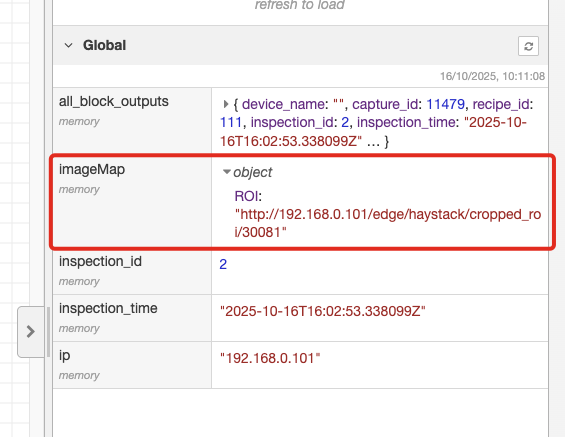
Extracts the Device IP
- Parses the
image_urlfield to find the IP (e.g.,192.168.0.101) - Stores it globally for reuse
- Parses the
-
Queries Latest Capture Data
-
Sends a GET request to the device’s PostgREST API:
http://{device-ip}/postgrest/captures?select=...
&order=id.desc&limit=1 -
Retrieves the most recent capture and all classification_result entries
-
-
Filters for Classification Results Only
-
Skips segmentation or alignment results
-
Iterates over each classification result:
classificationResults.forEach(result => {
  const roiName = result.roi_result?.inspection_region?.name || `ROI_${result.id}`;
  const imageUrl = `http://${baseUrl}/edge/haystack/cropped_roi/${result.id}`;
  imageMap[roiName] = imageUrl;
});
-
-
Outputs the Cropped ROI URLs
- Saves all ROI image links to a global
imageMap - Returns the list of latest cropped ROI image URLs
- Saves all ROI image links to a global
Example Usage
Fetch a Cropped ROI Image
curl http://192.168.0.101/edge/haystack/cropped_roi/42 -o roi_42.jpg
Use in a Web Interface
<img src="http://192.168.0.101/edge/haystack/cropped_roi/42" alt="Cropped ROI 42">
Output Example
{
  "ROI_1": "http://192.168.0.101/edge/haystack/cropped_roi/1",
  "ROI_2": "http://192.168.0.101/edge/haystack/cropped_roi/2"
}
Parameters
| Parameter | Type | Description |
|---|---|---|
device-ip | string | IP address of the camera (e.g. 192.168.0.101) |
Integration Flow
- Acquire latest capture metadata via
/postgrest/captures. - Identify available
classification_resultIDs. - Construct cropped ROI URLs for each result.
- Display or download those images for analysis, training data, or QA inspection.
Download Node-RED Flow
- ROI Crop Flow (JSON) - Complete Node-RED flow for extracting cropped ROI images
- Import this flow directly into Node-RED to access cropped classification ROIs
- Works with both OV10i and OV80i systems