AI-POWERED DOCS
What do you want to know?
Cameras
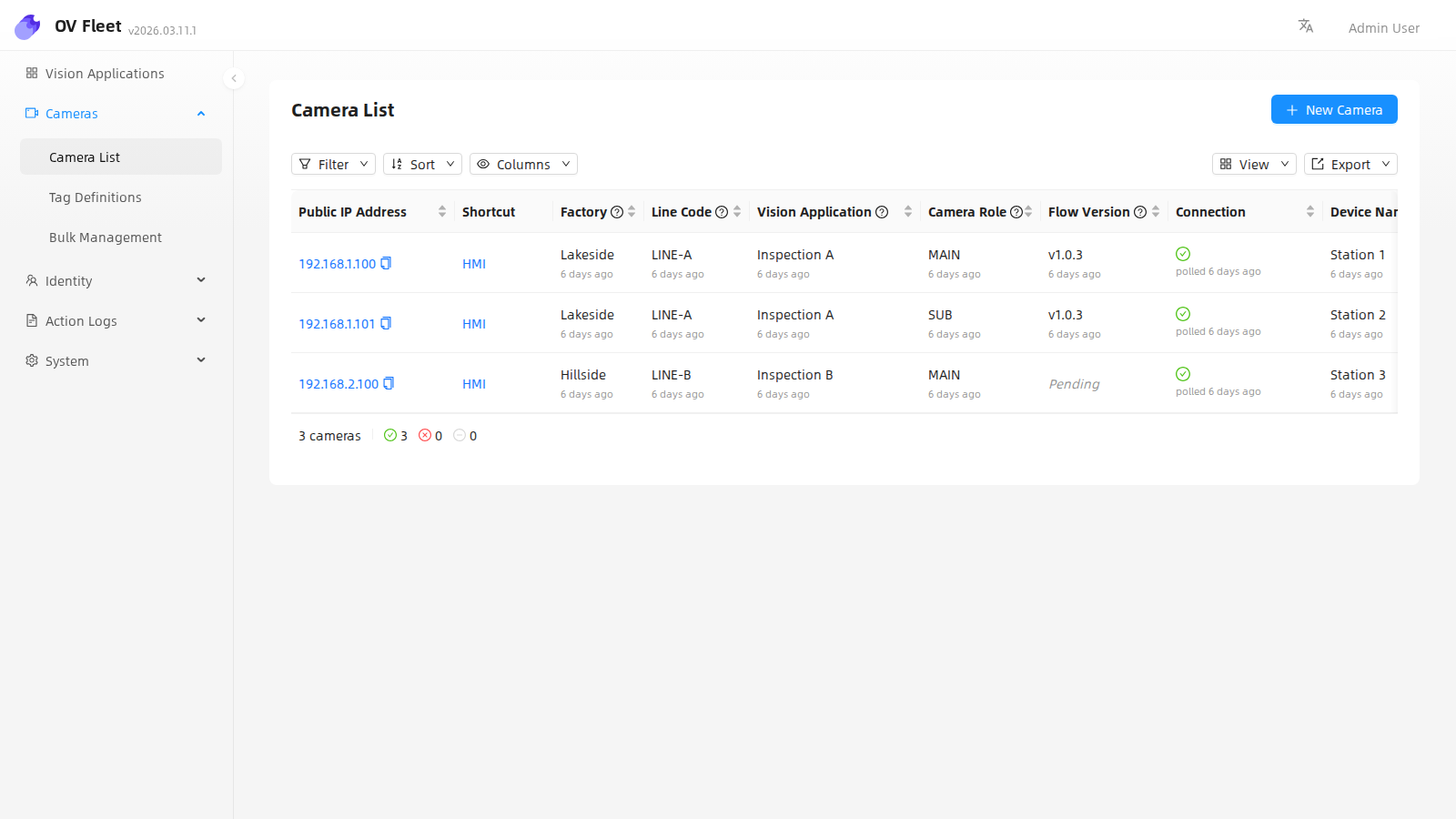
Camera list
The four grouping parameters — Factory, Line Code, Vision Application, and Camera Role — appear as default, read-only columns in the camera list (see Concepts).
Device page
Click a camera to open its device page. It shows metric cards (including availability over the past 7 days), the grouping parameters, the reachability timeline, and the full change history.
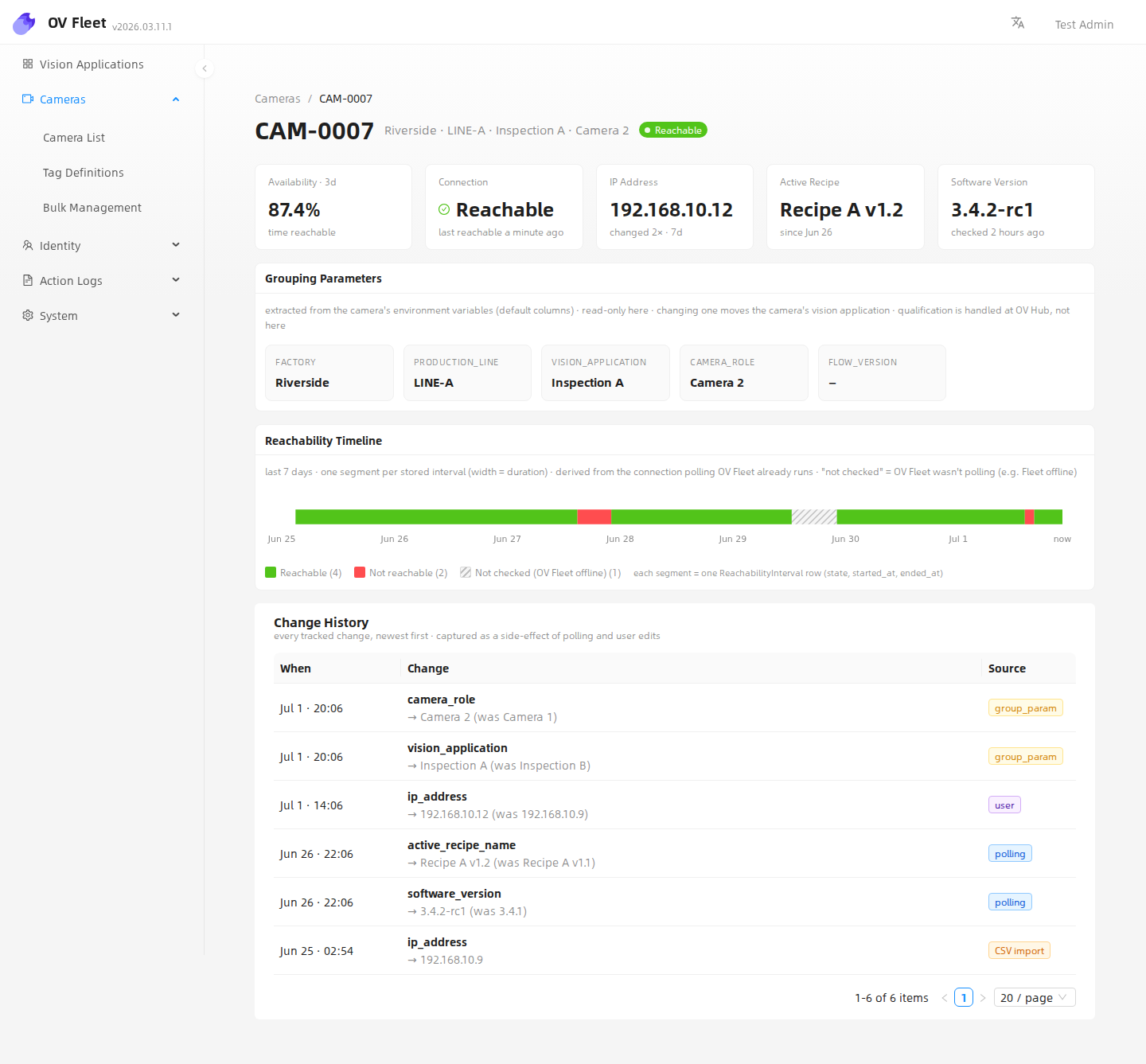
Reachability timeline
Reachability has three states:
- Reachable — Fleet polled the camera and it responded.
- Not reachable — Fleet polled the camera and it did not respond.
- Not checked — Fleet was not polling (for example, Fleet was offline). This is not the same as "down".

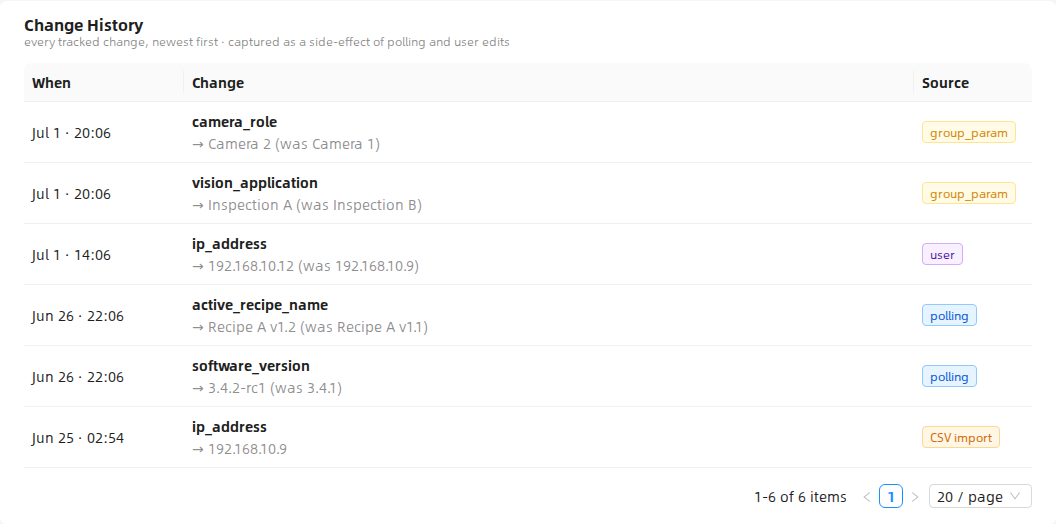
Change history
The change history is append-only. Each entry records what changed, when, and the source: polling, user, CSV, or API.