AI-POWERED DOCS
What do you want to know?
OV Fleet — AI Integration
Ask an AI assistant about your cameras and vision applications in plain language.
Prerequisites
- Claude Code installed, with a signed-in Claude account. Install it in the environment where you will run your sessions — if you work in WSL, that means inside WSL, not Windows.
- Your machine is on the factory network and can reach the Fleet server.
- A Fleet
system_rootaccount (to turn the server on). - A Fleet service token with MCP access (see below).
Turn on the server
A system_root user opens System → Settings → Read-only MCP server and turns on Enable read-only MCP server. It takes effect within a few seconds — no redeploy.
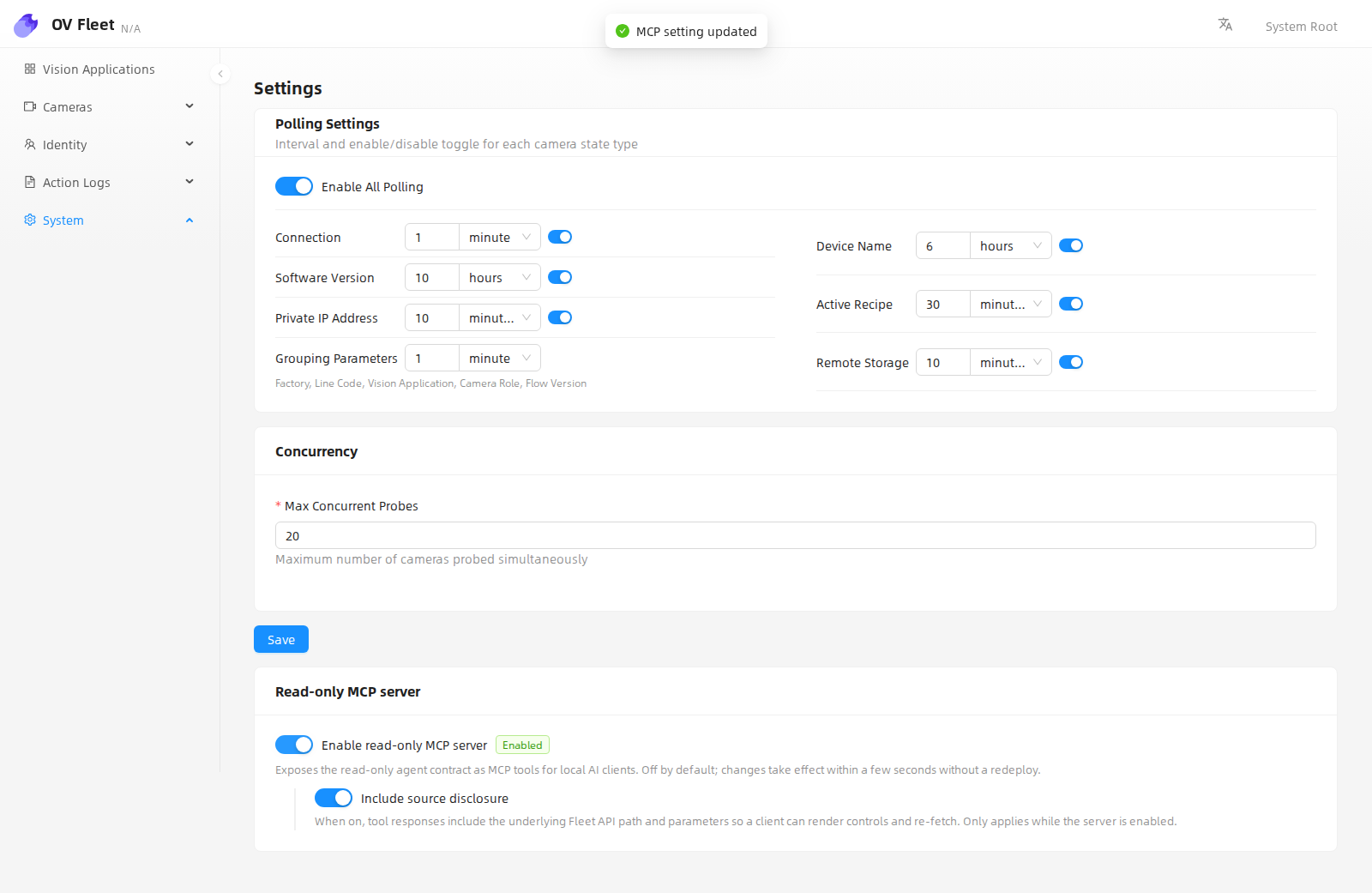
Fleet now serves MCP at the Fleet address you already use, plus /mcp:
http://<fleet-host>:<fleet-port>/mcp
Keep it on the factory network.
Get a service token
Every MCP request needs a service token. A Fleet system_root user creates one in the web UI — ask for one with MCP access. The secret is shown only once, at creation: store it like a password. If it is lost or leaked, have it revoked and a new one created.
Connect Claude Code
Do one of the following, in the same environment where Claude Code is installed.
Either run this command:
claude mcp add --transport http ov-fleet http://<fleet-host>:<fleet-port>/mcp \
  --header "Authorization: Bearer <your-token>"
Or add an mcpServers entry to Claude Code's config file, ~/.claude.json in that same environment's home folder:
{
  "mcpServers": {
    "ov-fleet": {
      "type": "http",
      "url": "http://<fleet-host>:<fleet-port>/mcp",
      "headers": {
        "Authorization": "Bearer <your-token>"
      }
    }
  }
}
Start a new session — servers load at session start. Claude Code can now answer questions about your fleet.
Connect VS Code
For VS Code's built-in MCP support (Copilot agent mode), add .vscode/mcp.json to your workspace:
{
  "servers": {
    "ov-fleet": {
      "type": "http",
      "url": "http://<fleet-host>:<fleet-port>/mcp",
      "headers": {
        "Authorization": "Bearer <your-token>"
      }
    }
  }
}
Its Settings → Connectors hands the URL to Anthropic's cloud, which then tries to reach it — and it cannot see inside your factory network. Claude Code connects from your own machine, which is why it works.