AI-POWERED DOCS
What do you want to know?
AI Expert Helper
Problem it solves: You have a question at 2 AM and need help now.
What it does: AI-powered assistant that knows everything about the OV camera system. Available 24/7 at tools.overview.ai.
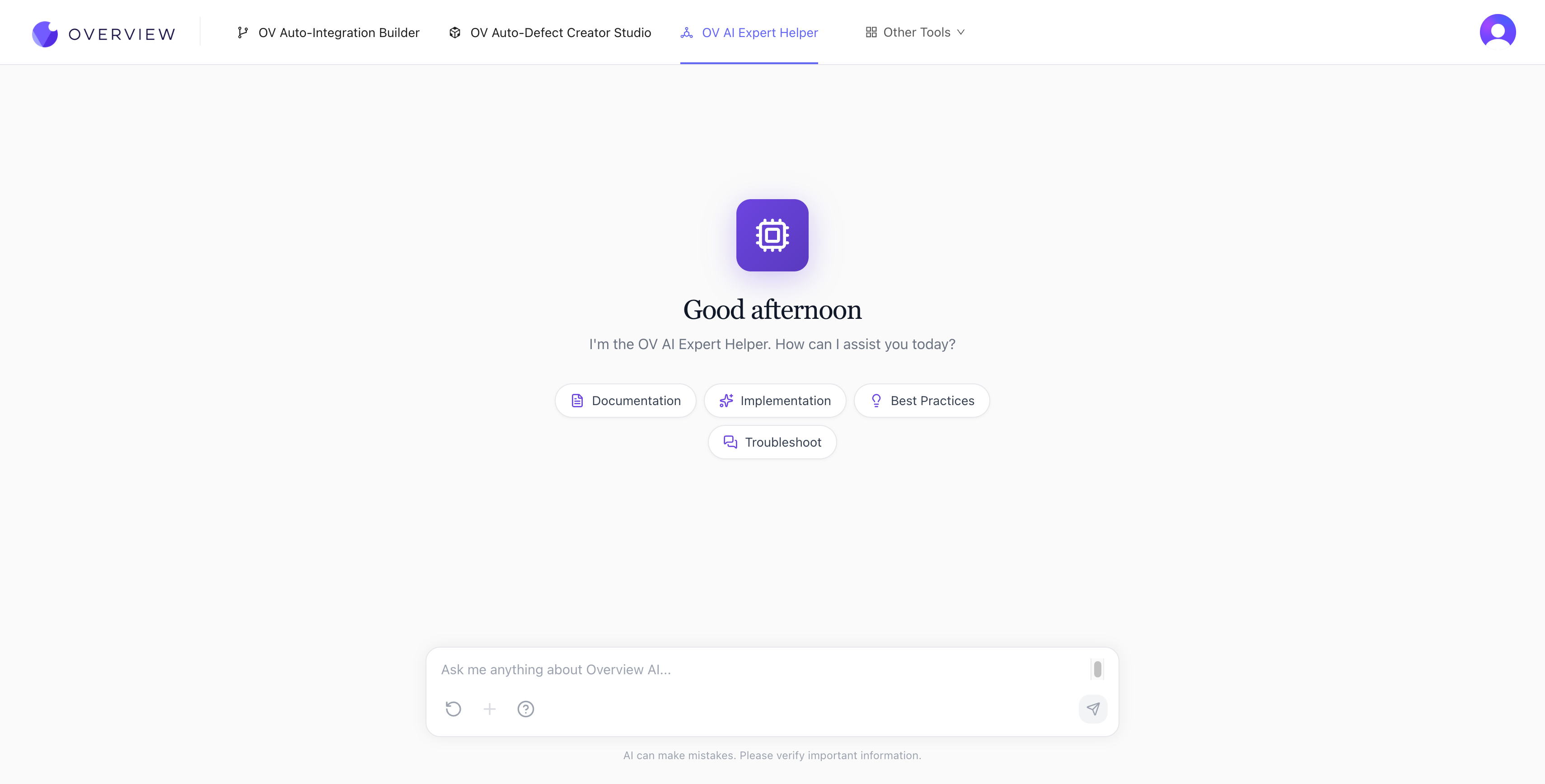
How to use it
- Open tools.overview.ai and select OV AI Expert Helper
- Type your question in the chat box, or click one of the quick-start categories:
- Documentation -- find specific information in the OV camera docs
- Implementation -- get step-by-step guidance for setting up features
- Best Practices -- get recommendations specific to your use case
- Troubleshoot -- diagnose and fix issues with your camera setup
- The AI responds with detailed answers, often including specific steps, settings, and references to relevant documentation.
What it knows
The AI Expert Helper is trained on the complete OV camera documentation, including:
- Hardware installation and wiring
- Network configuration and connectivity
- Recipe creation, alignment, and inspection setup
- AI model training and optimization
- Node-RED flow design and debugging
- PLC integration and communication protocols
- Troubleshooting and maintenance procedures
Tips for better answers
- Be specific. "How do I configure Modbus TCP on the OV20i?" gets a much better answer than "How do I connect to a PLC?"
- Paste error messages directly. Describe what you were doing when the error appeared.
- Ask follow-up questions. The chat maintains context within a conversation session.
- Use the Reset chat button to start a fresh conversation if you are changing topics.
Conversations are not saved between sessions
The AI Expert Helper does not retain conversation history after you close the page. If you need to reference an answer later, copy it before leaving.
Where it fits in the workflow: Use the AI Expert Helper anytime during your setup journey. It's also referenced in Troubleshooting & FAQ as your first line of support.