AI-POWERED DOCS
What do you want to know?
Users and Permissions
Users and Permissions controls who can reach this camera and what they can change.
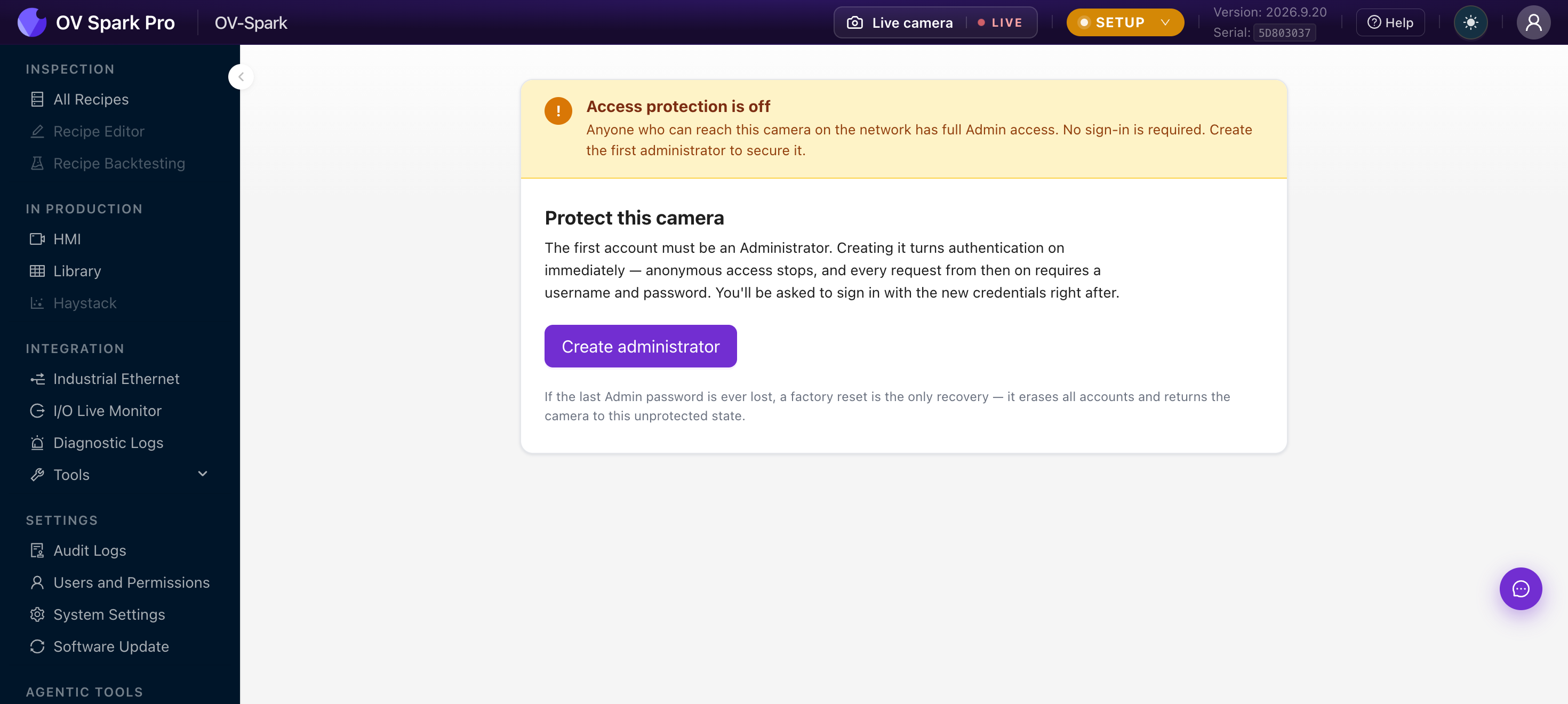
Secure the camera first
A camera that has never had an account created is unprotected, and the page says so:
Access protection is off. Anyone who can reach this camera on the network has full Admin access. No sign-in is required. Create the first administrator to secure it.
That includes anyone who can reach it from the plant network, not just people standing in front of it. On an unprotected camera, any visitor can change recipes, alter thresholds, reset statistics or factory reset the device, and the audit log will attribute it to nobody.
Create the first administrator before the camera goes anywhere near a production network.
Create administrator makes the first account. That account is always an Administrator, and creating it turns authentication on immediately: anonymous access stops and every request from then on needs a username and password.
If the last Admin password is lost, a factory reset is the only way back, and it erases every account, recipe, trained model and capture on the camera.
Record the first Admin credentials wherever your site keeps machine credentials, before you need them.
The four roles
| Role | Typically | Can | Cannot |
|---|---|---|---|
| Admin | Line owner, controls lead | Everything, including managing users and destructive device operations | Remove or demote the last remaining Admin |
| Engineer | Builds and maintains inspections | Configure recipes, models, imaging and fieldbus; ordinary system changes; manage captures | Manage user accounts, or Admin-only destructive actions |
| Operator | Runs the station | View content and settings; work with captures, including permitted annotations | Alter recipes, models, configuration or users |
| Read-only | Supervisor, auditor | View content, settings and audit information | Make changes, or view the user directory |
A sensible plant setup is one or two Admins, Engineers for whoever tunes recipes, Operators for the floor, and Read-only for quality and audit.
An Operator can reset statistics, fire the manual trigger, and pin, annotate or delete captures. Those are factory-floor actions that should not require calling an engineer at 2 a.m. What they cannot do is change how the inspection works.
Managing accounts
An Admin sees the full table with + Add user, and per row Reset password, Change role and Delete account.
Guardrails the camera enforces for you:
- The last Admin cannot be deleted or demoted, so the camera can never be left with nobody able to manage it
- Passwords are a minimum of 8 characters, and the camera never displays or returns them
- Role changes apply immediately, with no restart
- Every change here is recorded in Audit Logs
An Engineer sees the same list read-only. Operators and Read-only users see only their own account, and can change their own password.
Turning protection off
There is a Turn off access protection action, and its warning is blunt: this exposes the camera to anyone on the reachable network, sign-in is no longer required, and every visitor gets effective Admin access.
The legitimate use is recovering a camera on an isolated bench network. It is not a way to save operators from typing a password. If sign-in is genuinely impractical on the floor, give the shared station an Operator account rather than removing protection altogether.
Where to go next
- Audit Logs, which records every change made here
- System Settings, including HTTPS
- Software Update