AI-POWERED DOCS
What do you want to know?
Sparky
Sparky is OV Spark Pro's edge copilot: an assistant that runs on the camera itself, with the cloud optional. You describe an inspection in plain English and it proposes a recipe, or you ask what has been happening on the line and it goes and looks.
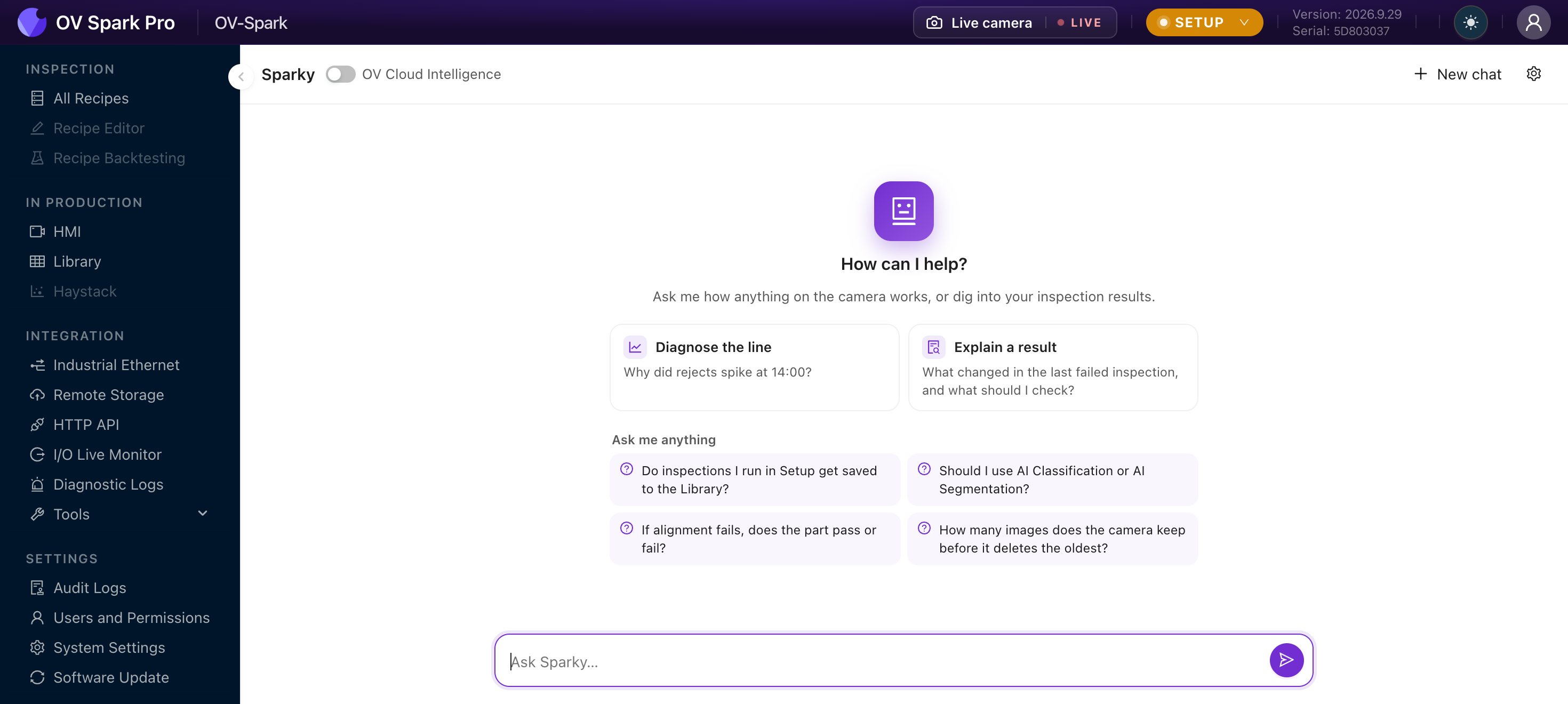
The empty state offers three starting points: Propose a recipe, Diagnose the line, and Explain a result.
What it can actually do
Sparky is not only a chat window. It can call the camera's own functions, and it narrates each one as it goes.
Reading, which it does freely:
- Searching the capture library
- Charting pass and fail over time
- Scanning for drift
- Breaking down the failures
Writing, which changes the machine:
- Activating a recipe
- Setting the trigger
- Setting the default judgment
- Updating or resetting the HMI layout
- Pinning a capture
A write request appears in the chat as Needs approval with Approve and Reject buttons. Nothing changes until you press Approve, and an unanswered request expires rather than proceeding.
Read actions run without asking, because they cannot change anything.
Every tool call is recorded in Audit Logs, so a change Sparky made on your approval is attributable in exactly the same way as one you made by hand.
Questions worth asking it
Sparky is at its most useful when the question would otherwise mean cross-referencing several screens:
- Which tool is causing most of today's failures?
- Has the classifier's confidence drifted this week?
- Show me the failures from the night shift
- Why did this capture fail?
For those it searches the Library, charts the result, and can hand you an Open in Library link with the filters already applied, so you can check its reasoning rather than taking it on trust.
The Library link is the point. Use it. An assistant that shows you the underlying captures is one you can check; a summary with nothing behind it is one you cannot.
The cloud model
A OV Cloud Intelligence toggle switches Sparky to a cloud-hosted model, which is more capable than the on-camera one.
With it on, the information Sparky needs to answer leaves the device. The camera is offline by default and connects only while a cloud tool is actually in use, but if your site prohibits sending production images or data off-premises, leave this off.
The toggle is restricted to Engineers and Admins.
With it off, Sparky still works using the on-camera model.
Limits worth knowing
- Sparky sees the section you are on for context, shown as a Sees: chip
- A session can be taken over by another user, and yours will say so
- Read-only users can use its read tools but not its write tools
- Some features, such as the HMI Sparky layout button, need the cloud model and are disabled without it
Where to go next
- Defect Studio, the other agentic tool
- Library, where its answers come from
- Audit Logs