AI-POWERED DOCS
What do you want to know?
Audit Logs
Audit Logs is a complete record of activity on this camera: who did what, and when.
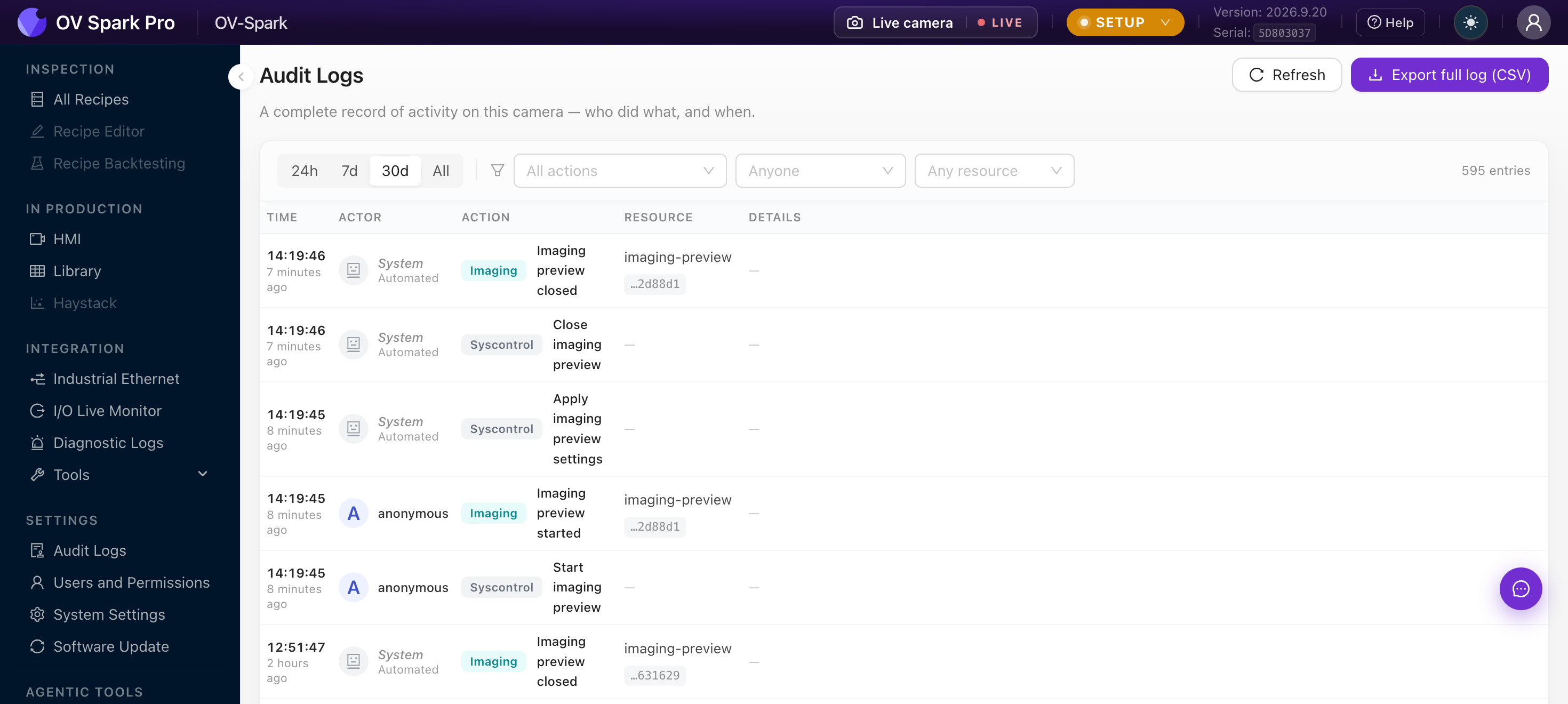
Where Diagnostic Logs records what the system encountered, this records what people did. It is the screen that answers the recipe changed on Tuesday, who changed it?
Audit entries are read-only for every role, including Admin. There is no clear button, by design. That is what makes it usable as evidence.
Filtering
| Control | Options |
|---|---|
| Time range | 24h, 7d, 30d, All. Defaults to 30d |
| Action | Any recorded action type |
| Actor | A specific user, or Anyone |
| Resource | A specific recipe, tool or setting |
Entries show Time, Actor, Action, Resource and Details. Clicking one opens a drawer with the full detail plus a Request ID and Entry ID, each copyable, which is what support will ask for.
Automated activity is attributed to System, with the role Automated. Actions taken on an unprotected camera before any account existed appear as anonymous, which is a good illustration of why protecting the camera matters.
What gets recorded
Roughly 130 action types, covering recipes and datasets, training sessions, imaging sweeps, fieldbus protocol switches, HMI layout changes, captures, user management, device power, network and NTP changes, factory reset, software updates, and Sparky tool calls.
In practice, if it changes how the camera behaves, it is in here.
Export
Export full log (CSV) downloads every entry matching the active filters, not just the page on screen, named audit-log-YYYYMMDD-HHmmss.csv.
The export honours your filters. For an audit request, set the time range and actor first, then export, rather than exporting everything and filtering in a spreadsheet.
Using it in practice
A recipe started failing good parts. Filter to the recipe as resource, widen the time range, and look for a threshold or training change just before the problem started.
Validating a change window. Filter to the window and export. That is your record of exactly what was touched.
After an incident. Check whether a configuration change coincided with it before assuming a hardware fault.
If everyone shares one login, every entry says the same name. Individual accounts cost nothing and are the difference between a log that answers questions and one that does not.