AI-POWERED DOCS
What do you want to know?
Diagnostic Logs
Diagnostic Logs is the camera telling you, in plain language, about things that went wrong or nearly did. It is the first place to look when the line behaves oddly but nothing is obviously broken.
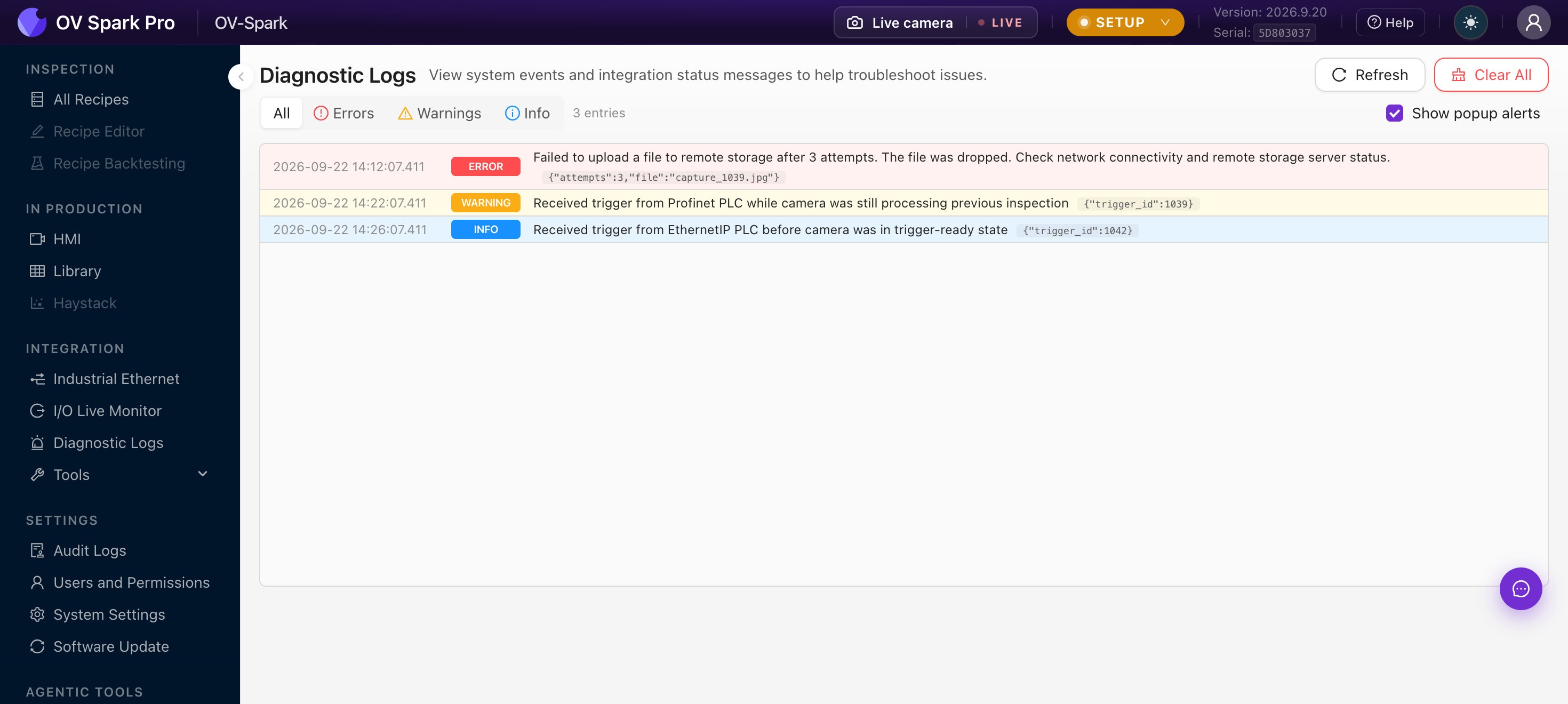
Newest entries appear at the bottom and arrive live, so you can leave this open while someone runs the line.
Controls
| Control | What it does |
|---|---|
| All / Errors / Warnings / Info | Filter by severity |
| Refresh | Reload the feed |
| Clear All | Delete every entry, with a confirmation, and it cannot be undone |
| Show popup alerts | Pop a notification when a new event arrives |
| Load More | Fetch older entries, 100 at a time |
Each row carries a timestamp, a severity badge, the message, and a context payload such as {"trigger_id":1039}. Repeated events are deduplicated with a count and first and last occurrence times, which is how you tell a one-off from something happening every cycle.
The messages that matter most
Most real integration problems show up as one of a handful of entries.
Trigger while busy
Received trigger from Profinet PLC while camera was still processing previous inspection
The line is triggering faster than the camera can finish. Options, roughly in order of preference:
- Slow the trigger rate, or space the parts further apart
- Simplify the recipe, since fewer or smaller regions run faster
- Raise the image trigger buffer, accepting that results then lag the part
A queue keeps the camera busy, but the result no longer matches the part in front of the reject gate. If your downstream logic assumes one in, one out, leave the buffer at 0 so an overrun is reported instead of silently delayed.
Trigger not ready
Received trigger from EthernetIP PLC before camera was in trigger-ready state
The PLC triggered before the camera was armed. Usually the handshake is not being observed, or the PLC starts triggering during camera startup. Check the handshake sequence in Industrial Ethernet.
Invalid recipe ID, or recipe switch while busy
The PLC asked for a recipe number the camera does not have, or asked to switch mid-inspection. Check the PLC recipe ID values in Step 5 of each recipe against what the controller is sending.
Remote storage faults
Failed to upload a file to remote storage after 3 attempts. The file was dropped.
The capture was inspected normally, but the image did not reach the remote share. Check the network path and the storage server, then run Test connection in Remote Storage. These are worth watching, because the loss is silent from the line's point of view.
How this differs from Audit Logs
They answer different questions, and reaching for the wrong one wastes time.
| Diagnostic Logs | Audit Logs | |
|---|---|---|
| Records | What the system encountered | What a person did |
| Typical question | "Why did the line stop?" | "Who changed the threshold?" |
| Can be cleared | Yes | No |
Where to go next
- I/O Live Monitor, to see the signals behind these messages
- Industrial Ethernet
- Audit Logs