AI-POWERED DOCS
What do you want to know?
Recipe Editor
The Recipe Editor is where an inspection is built. It is a six-step wizard, and the order matters: each step depends on the one before it.
| Step | What you decide |
|---|---|
| 1. Imaging | How the image is captured |
| 2. Triggering | What makes the camera capture |
| 3. Tools | What gets checked |
| 4. Judgment | How tool results combine into pass or fail |
| 5. Outputs | What the line is told |
| 6. Finish up | Review and activate |
For the full walkthrough with a screenshot of every step, see Build a recipe from scratch. This page covers how the editor itself behaves.
Getting in
The sidebar entry opens the active recipe. With no recipe active it is greyed out, and the tooltip reads Activate a recipe to configure it. To edit a specific recipe instead, use Configure on its card in All Recipes.
The editor needs Setup mode. If the camera is in Production when you open it, you are asked to confirm the phase switch first. That stops inspection, so do it deliberately on a running line.
Blockers
The editor continuously tracks what is unfinished. The chip in the header shows the count, and opening it lists each blocker under the heading BEFORE THIS CAN RUN IN PRODUCTION, with a Go to step link that takes you straight to the fix.
Typical blockers:
- Tools, no inspection tool
- Judgment, no policy set
Tool "{name}" isn't configured
When everything is resolved it reads All steps valid and Activate becomes available.
It is more reliable than working from memory, and it is the same logic the camera uses to decide whether the recipe may run at all.
Tools run in order
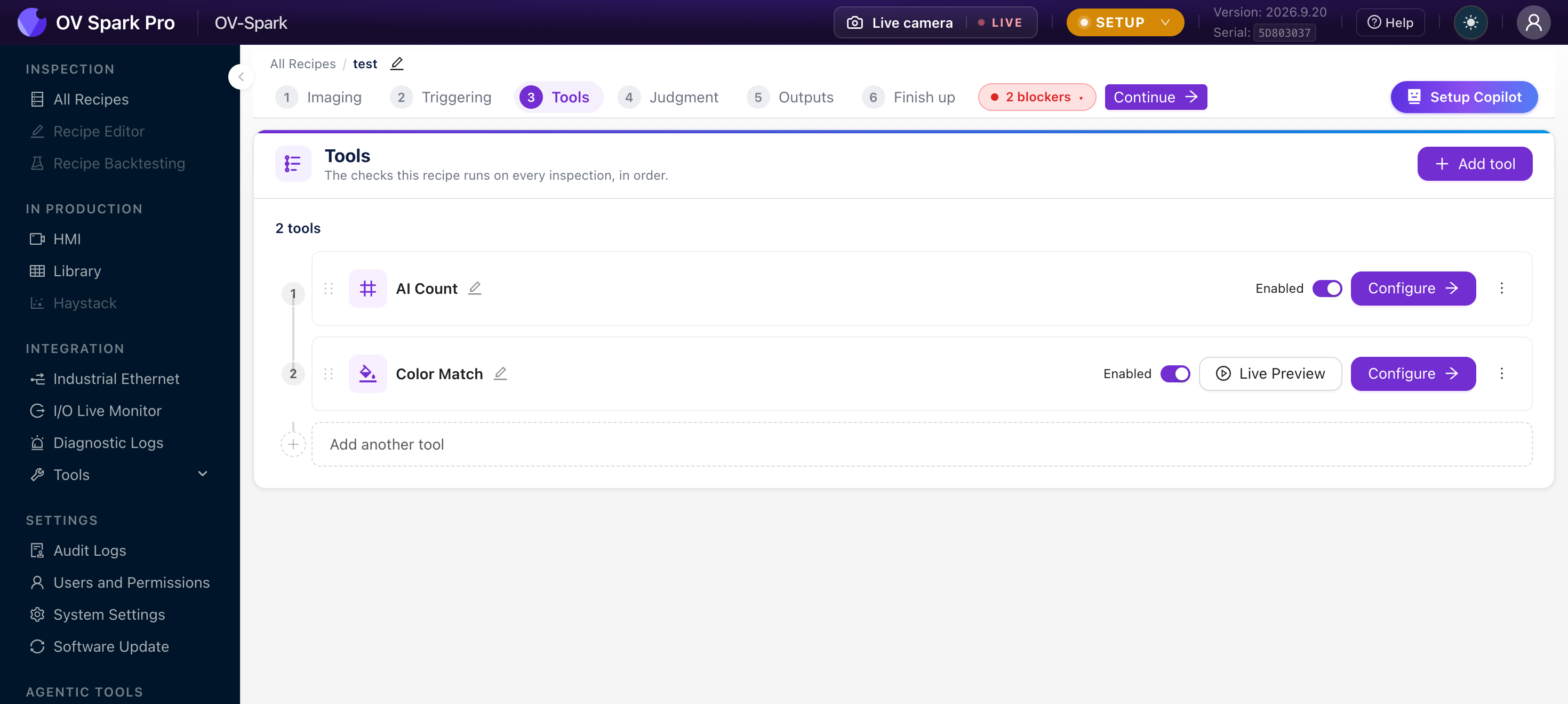
On Step 3 the tools run top to bottom, and you can drag to reorder. Each has:
- An Enabled toggle, so you can park a tool without deleting it and losing its training
- Configure, which opens that tool's own authoring flow
- Live Preview on tools that support it
Order matters when tools depend on each other. An aligner has to run before the tools that follow it, and the editor keeps that relationship visible: the follower shows Aligned to {name}, and the aligner shows how many tools align to it.
The camera warns you, and lists exactly which tools go with it. Re-enabling a follower offers to re-enable the aligner too.
Changing a recipe that is already running
The safest pattern is to Duplicate in All Recipes, edit the copy, check it in Live Preview, then activate it. The running recipe is untouched until you switch, and switching back is one click.
If you change focus, exposure or lighting after training a tool, the images it learned from no longer match what the camera sees. Recapture your examples and retrain. This is why imaging is Step 1 and not a later convenience.