AI-POWERED DOCS
What do you want to know?
Variables
A variable holds a value from your line, such as the serial number of the part in front of the camera. The camera keeps it current while it runs, and each inspection saves the value it had at that moment. You can then put it in file names, see it in the Library and use it in scripts. No code is needed.
Open Integration > Variables.
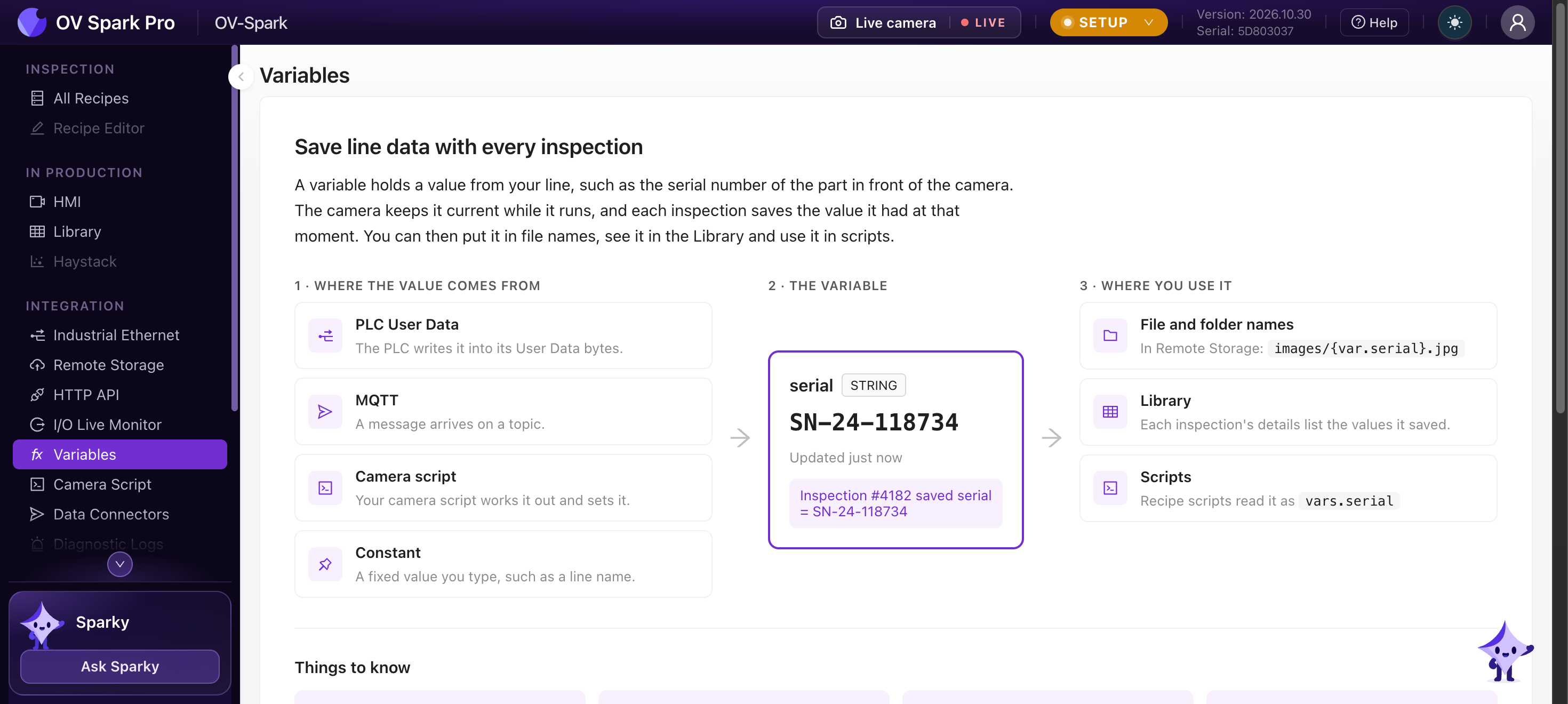
Where a value comes from
| Source | How it arrives |
|---|---|
| PLC User Data | The PLC writes it into its User Data bytes |
| MQTT | A message arrives on a topic. The value can be the whole payload or one field of a JSON message |
| Camera script | Your camera script works it out and sets it with vars.set() |
| Constant | A fixed value you type, such as a line or station name |
You can also set a value by hand on the Variables page, for example an operator entering a lot number. A hand-set value lasts until the variable's own source sends a new one, and captures that used it get a manual badge in the Library.
The page offers three examples to start from: a part serial number from the PLC, a lot number from MQTT, and a line or station name.
From the PLC
Choose where the value sits in the PLC's User Data and its type:
| Setting | Values |
|---|---|
| Offset | Byte 0 to 463 of User Data |
| Type | BOOL, SINT, USINT, INT, UINT, DINT, UDINT, LINT, ULINT, REAL, LREAL, STRING, BYTES |
| Bit | 0 to 7, for BOOL only. Without it, BOOL means the whole byte is not zero |
| String format | Fixed length (a set number of characters, trailing spaces and NULs trimmed), Rockwell (a Logix STRING: a DINT length then 82 characters) or Siemens (an S7 STRING: a max-length byte, a length byte, then the characters) |
The byte order follows the fieldbus: little-endian on EtherNet/IP, big-endian on PROFINET. On PROFINET, some bytes arrive only when the PLC sends the full User Data module.
64-bit integers reach scripts and result messages as decimal strings, because JavaScript numbers cannot hold every 64-bit value. Use BigInt(vars.part_id) in a script if you need to do arithmetic on one.
From MQTT
Give the topic, how to read the payload (JSON, String or Number), and for JSON the path to the field, for example $.id. Wildcards are not allowed in a variable's topic. While MQTT is off, the variable stays empty.
Names and limits
- Names are lowercase letters, digits and underscores, starting with a letter, up to 32 characters:
serial,lot_number,part_type - These names are reserved:
vars,vars_info,tools,tools_by_name,rules,trigger,recipe,state - Up to 64 variables per camera. Text values are up to 1024 bytes
Where you use it
| Where | How |
|---|---|
| Remote Storage file and folder names | {var.serial}, for example {camera}/{var.lot} as the folder and {var.serial}_{capture_id} as the file name. A file name still needs {capture_id}, {trigger_id} or {timestamp}, and cannot contain /. See Remote Storage |
| Library | Each capture's details list the variables it saved, with their source and when each value was received |
| Recipe script | vars.serial, and vars_info.serial.age_ms for how old it is. See Recipe script |
| Camera script | vars.get("serial"), and vars.set() for variables whose source is the camera script |
| Result messages | Every result sent over MQTT, the HTTP API and to the camera script carries vars and vars_info |
Things to know
Each inspection saves the values the variables have when its tools finish. Have the PLC write the serial before it raises the trigger, or the capture saves the previous part's value.
- Empty shows as
_. A variable with no value appears as_in file names and asnullin scripts - Restarts start empty. After a restart, each variable waits for its source to send a new value. Values set by hand need setting again
- One set per camera. Variables belong to the camera, so every recipe on it reads the same ones
- Exports. Variables travel with recipe exports
Set the variable by hand on the Variables page, then trigger manually. The recipe script sees the hand-set value exactly as it would see the PLC's, and the capture is marked manual so it is never mistaken for production data. A recipe script can refuse hand-set values on lines where they are not allowed, by checking vars_info.<name>.source.