AI 驱动文档
您想了解什么?
Classifier 与 Segmenter
如需进行像素级缺陷检测或同时检查多个特征,建议使用支持 segmentation 模型的 OV20i 或 OV80i。
本页介绍 OV10i 系统中可用的两种 AI 模型类型,并帮助您为检测需求选择合适的方案。
通过图示和实操演练进行可视化讲解:
- Understanding Classifier — Types、Classes 和 ROI 的嵌套方式;实时 classifier 演练 (OV10i)
- Understanding Segmenter — 像素级掩膜、调色板、计数与测量;绘画式 segmenter 演练 (OV20i,因为 OV10i 仅支持 classifier)
OV10i 不具备 segmentation 功能。
使用 Defect Creator Studio 生成照片级真实感的合成缺陷图像 — 用普通英语描述缺陷,即可在数秒内获得可用于训练的图像。
两种项目类型
OV10i 针对不同的检测需求提供两种不同的 AI 模型方案:
- Classification - "猫 vs. 狗"方法
- Segmentation - "Where's Waldo (找瓦尔多)"方法
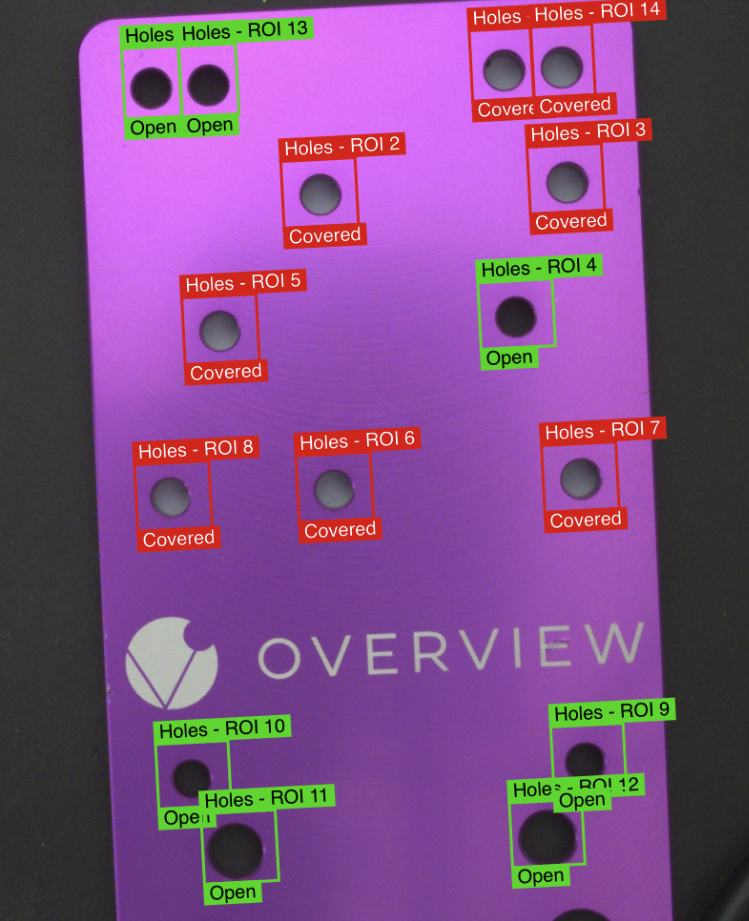
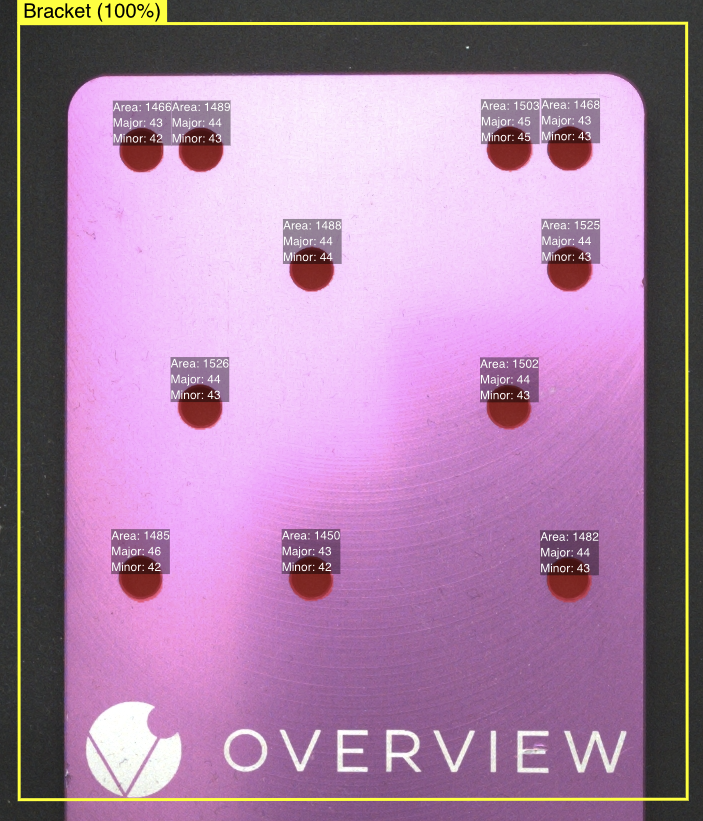
Classification 模型
什么是 Classification?
创建 Classification 程序以训练深度学习模型,根据图像的视觉特征将其归类到不同的 class。
"猫 vs. 狗"方法: Classification 最适合图像可处于离散数量状态之一的项目(例如,good vs. bad,但可以包含任意数量的 class)。
Classification 训练模式
Classification 提供两种不同的训练方式:
⚡ Fast Classifier
- 用途: 快速搭建与测试
- 使用场景: 快速原型验证与概念验证
- 速度: 训练时间较短
- 精度: 精度较低
- 是否可用于生产: ❌ 不推荐用于生产
Accurate/Production Classifier
- 用途: 可用于生产的检测
- 使用场景: 最终部署与制造
- 速度: 训练时间较长
- 精度: 精度较高
- 是否可用于生产: ✅ 可获得最佳效果的主要训练模型
来自生产现场的 Classification 示例
示例 1:螺母松动检测(OEM 装配)
任务: 识别机械装配中的松动螺母
设置:
- ROI: 围绕螺母区域的矩形
- Classes:
- ✅ Good - 正确拧紧的螺母 (Pass 100%)
- ❌ Defect - 松动的螺母 (Fail 98%)
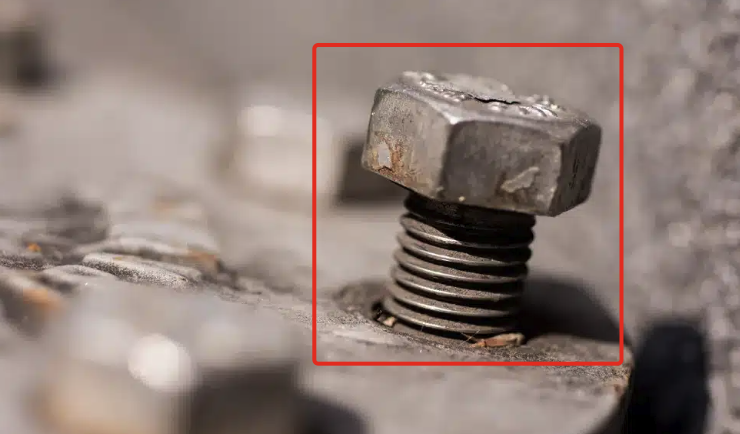
结果: 二元判定 - 螺母是否正确就位或松动
示例 2:轴体就位验证(OEM 装配)
任务: 识别未完全就位的轴
设置:
- ROI: 覆盖轴安装区域的矩形
- Classes:
- ✅ Good - 完全就位的轴
- ❌ Defect - 部分就位的轴
- ❌ Defect - 完全脱出的轴
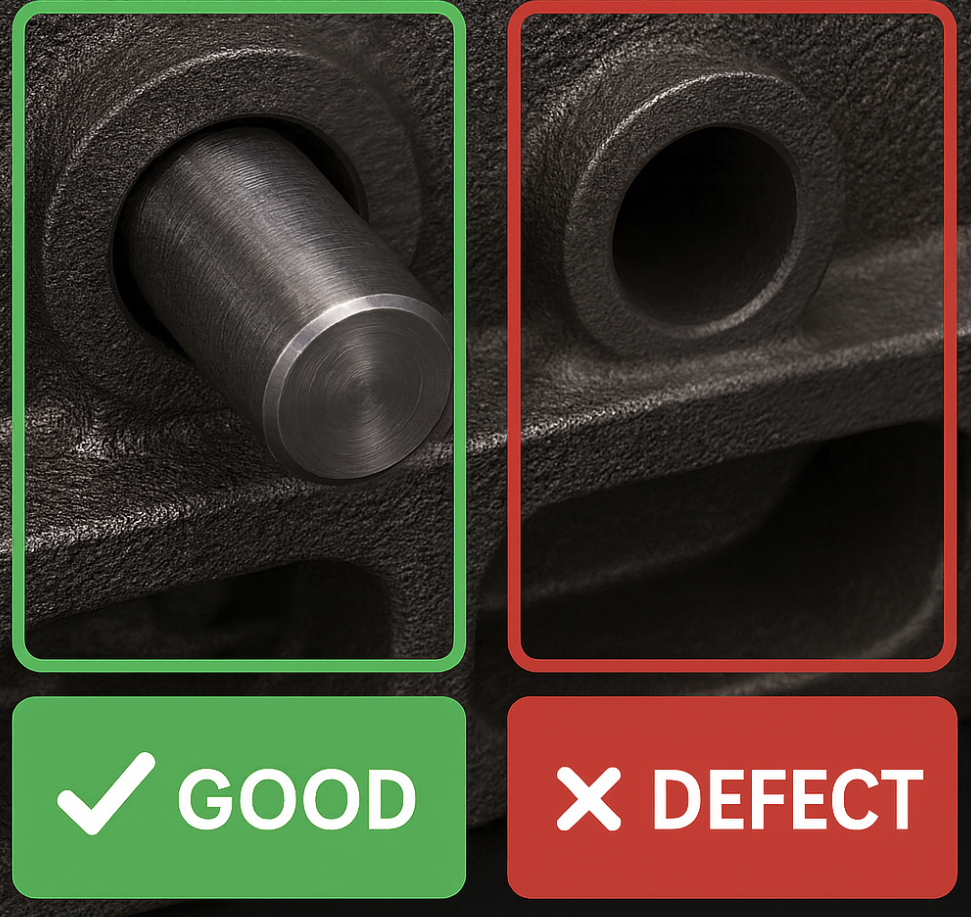
结果: 组件被归类为正确安装或存在缺陷
示例 3:弯曲引脚检测(T1 供应商制造)
任务: 检查弯曲的引脚
设置:
- ROI: 覆盖散热器引脚阵列的矩形
- 类别:
- ✅ 良品 - 未损坏的引脚(笔直)
- ❌ 缺陷 - 弯曲/损坏的引脚(弯曲)
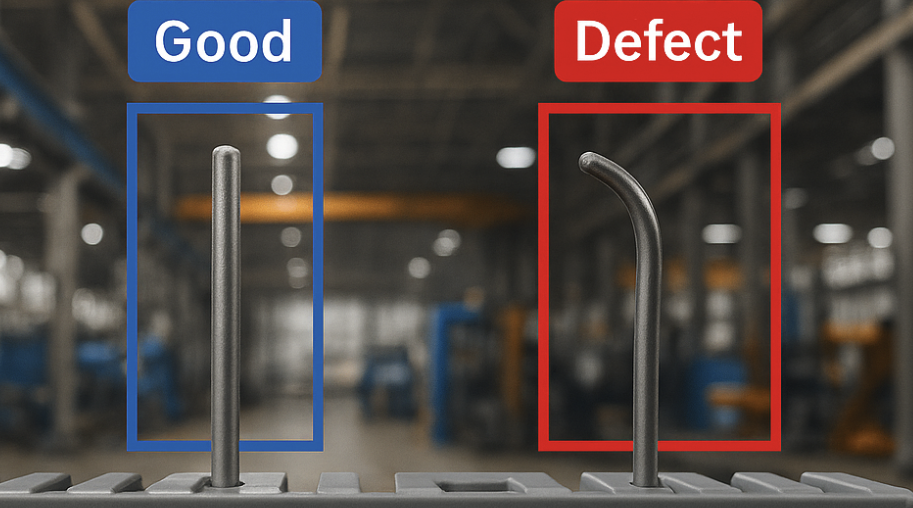
结果: 分类器区分良品和不良品引脚
分割模型
什么是分割?
创建分割程序以训练深度学习模型,使其能够获取图像并根据标注的缺陷在像素级别对类别进行分割。通过在像素级别进行操作,此工具适用于需要对标签进行更精细控制的检测。
"Where's Waldo?" 方法: 分割最适合于缺陷可呈现多种形状和大小,并出现在不同位置的项目(例如,查找划痕和凹痕)。
分割训练模式
仅高精度/生产模式
- 目的: 可用于生产的像素级分析
- 训练: 单一的高精度模式
- 速度: 训练时间较长,用于精确的像素分类
- 精度: 高精度用于详细的缺陷映射
- 可用于生产: ✅ 针对制造环境优化
来自生产的分割示例
示例 1:表面缺陷检测(T1 供应商装配)
任务: 识别胶水溢出
设置:
- ROI: 阀门表面周围的矩形
- 像素类别:
- 胶水(黄色像素)
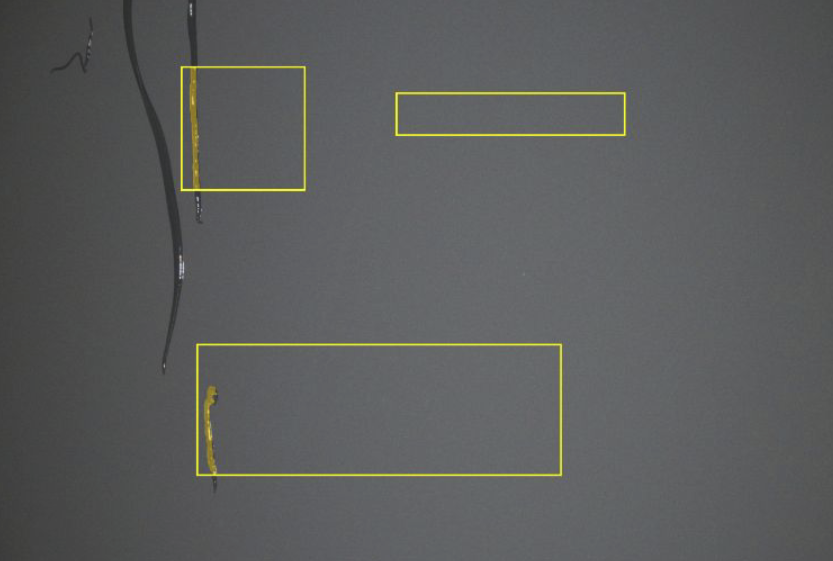
结果: 黄色高亮显示了 AI 模型检测到的缺陷,并提供原始图像作为参考
示例 2:间隙尺寸测量(T1 供应商装配)
任务: 验证检测的间隙是否为正确尺寸
设置:
- ROI: 间隙区域周围的矩形
- 测量逻辑: 基于像素面积值的通过条件
- 类别:
- 蓝色像素用于教导距离的样式
- ✅ 良品 - 面积 <100 像素(通过)
- ❌ 缺陷 - 面积 > 100 像素(失败)
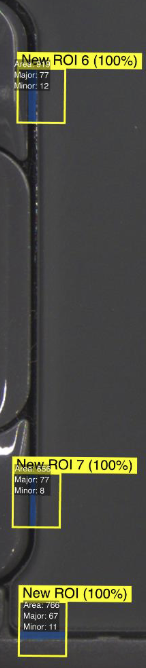
结果: 精确测量间隙尺寸,提供准确的像素数
示例 3:油漆飞溅
任务: 识别是否没有油漆飞溅
设置:
- ROI: 感兴趣区域 (ROI) 周围的矩形
- 像素类别:
- 黄色像素用于教导油漆的样式
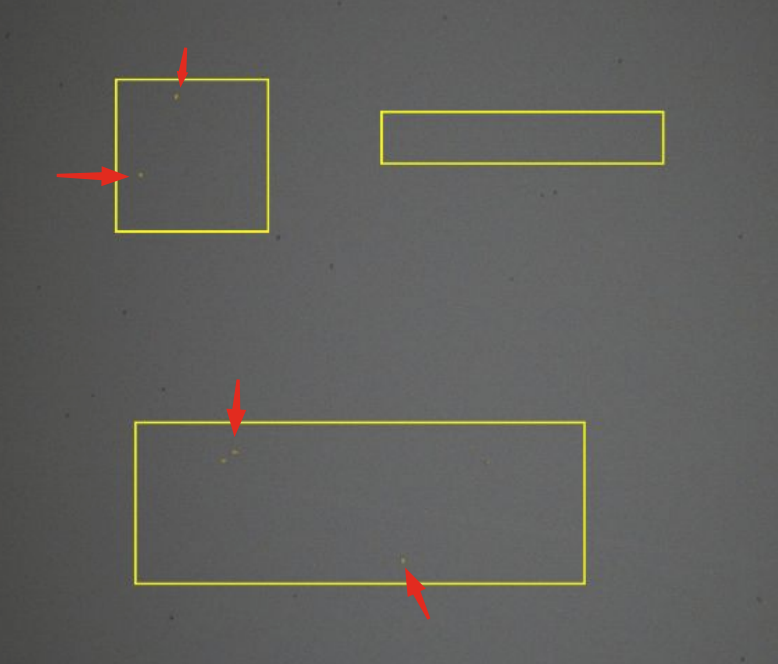
结果: 像素级检测油漆飞溅
何时选择每种模型
何时选择分类:
离散状态决策:
- ✅ 您需要简单的良品/不良品分类
- ✅ 整个 ROI 可被标注为几个类别之一
- ✅ 总体状况评估已足够
- ✅ 预期缺陷位置固定
- ✅ 检测期间可接受较快的循环时间
最适用于: Go/No-Go 决策、组件存在/缺失、整体质量评估
何时选择分割:
位置可变分析:
- ✅ 缺陷可能出现在检测区域的任何位置
- ✅ 您需要测量缺陷的尺寸或面积
- ✅ 一张图像中可能存在多种缺陷类型
- ✅ 需要精确的位置映射
- ✅ 最快的循环时间对生产至关重要
最适用于: 表面缺陷、间隙测量、覆盖验证、位置可变的瑕疵
性能对比
周期时间性能
| 模型类型 | 检测速度 | 最佳使用场景 |
|---|---|---|
| 分割 | ⚡ 最快 | 高速生产线 |
| 分类(精确) | 较慢 | 质量关键型检测 |
| 分类(快速) | 中等 | 测试和原型开发 |
分割模型提供最快的检测周期时间,是高吞吐量生产环境的理想选择。
训练模式总结
分类训练选项
- 快速模式: 用于测试的快速设置(不适用于生产)
- 精确模式: 适用于生产,具有更高的精度
分割训练选项
- 仅精确模式: 针对生产优化的单一高精度模式