跳到主要内容

GenAI Toolkit

Time: 5 分钟(阅读)

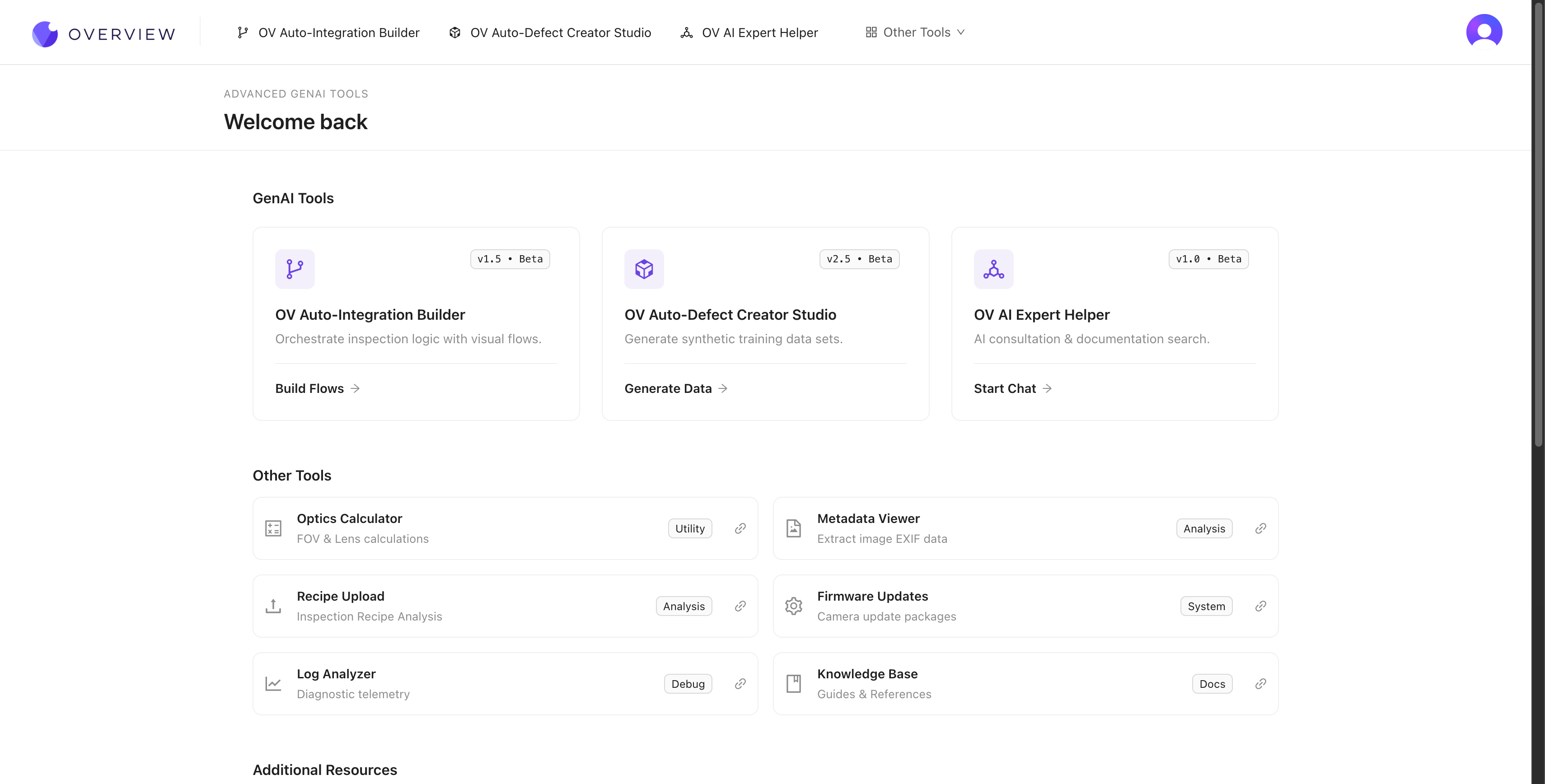
三个 AI 驱动的工具在 tools.overview.ai 加速您整套检测工作流程的每个阶段。生成合成训练数据、从普通英文描述构建工厂集成,并获得即时专家帮助——无需等待支持工单或依赖专业技能。

Defect Studio
Integration Builder
AI Expert Helper

OV Auto-Defect Creator Studio

Problem it solves: You need training data for rare defects, but waiting for them to happen naturally takes weeks or months.

What it does: Generates photorealistic synthetic defect images from a single good image + a plain English description. Upload a good part, mark where the defect should appear, describe it ("hairline crack along the weld seam"), and get dozens of realistic training images in seconds -- up to 10,000x faster than waiting for real defects.

How it works

  1. Upload a good image of your part
  2. Mark the area where the defect should appear
  3. Describe the defect in plain English (e.g., "deep scratch across the surface" or "missing solder joint")
  4. Generate the defect variations (the AI creates photorealistic results)
  5. Export the synthetic images directly into your training set

When to use it

  • 您需要针对尚未遇到的缺陷进行训练(新产品发布)
  • 罕见缺陷发生频率约为每 1,000 件中的一次
  • 您希望提高在特定边缘失效模式上的准确性
  • 您需要用更多样本来补充一个小型数据集

为什么合成数据有效

生成的图像不仅仅是简单地“贴上”伪影,而是与您实际照明、相机角度和零件表面相匹配的写实变体。AI 能够理解在您特定成像条件下缺陷的物理特性。

从真实数据开始,用合成数据加速

最佳做法:先用您最初的 3-5 张真实图像进行训练,找出 AI 的薄弱环节,然后使用 Defect Studio 针对这些特定失效模式生成有针对性的合成样本。真实数据建立基线,合成数据弥补空缺。

合成数据只是对真实数据的补充,不能替代它

Defect Studio 的图像在填充训练集的空白方面强大,但不应成为唯一的训练数据来源。始终以真实生产图像来验证模型性能。仅基于合成数据训练的模型可能会错过在现实条件下才会出现的微小变异。

See it in action

Where it fits in the workflow: You'll use Defect Studio during 第4步:训练您的 AI 模型 to build training data faster.


OV Auto-Integration Builder

Problem it solves: Setting up factory integrations (PLC communication, email alerts, data logging) requires Node-RED expertise you might not have.

What it does: Generates complete, production-ready Node-RED flows from plain English descriptions. Supports 50+ node types including MQTT, Modbus, OPC-UA, HTTP, RS232, and more.

How it works

  1. Open tools.overview.ai and select Auto-Integration Builder
  2. Describe what you want in plain English. For example: "Send an email when 3 failures happen in a row" or "Save fail images to an FTP server with the part serial number"
  3. The AI generates a complete Node-RED flow using 50+ available node types
  4. Review the flow, deploy it to your camera with one click

What it supports

分类示例
通信协议MQTT, Modbus TCP, OPC-UA, HTTP/HTTPS, RS232, RS485
数据路由FTP, 数据库, MES 系统, 云存储
逻辑时序分析、条件分支、聚合
通知邮件、Microsoft Teams、Slack、webhooks
硬件 I/O指示灯、分拣门、传送带、PLCs
Customize generated flows after deployment

Integration Builder 生成的 Node-RED 流供您在生成后进一步自定义。生成的流只是一个起点。在摄像机上的 Node-RED 编辑器中打开它,以微调时序、添加错误处理,或扩展逻辑以满足您确切的生产需求。

Modify Mode

Already have a flow? Use Modify Mode: paste an existing flow and describe what you want changed. The builder updates the flow while preserving your existing logic.

See it in action

Where it fits in the workflow: You'll use the Integration Builder during 第五步:设置输出 to configure factory communication.


OV AI Expert Helper

Problem it solves: You have a question at 2 AM and need help now.

What it does: AI-powered assistant that knows everything about the OV camera -- setup, troubleshooting, best practices, and advanced configurations. Available 24/7 at tools.overview.ai.

When to use it

  • Anytime you're stuck or unsure about a setting
  • When troubleshooting complex multi-step issues
  • For best-practice recommendations specific to your use case
  • When you need step-by-step guidance for advanced configurations

What it knows

The AI Expert Helper is trained on the complete OV camera documentation, including:

  • Hardware installation and wiring
  • Network configuration and connectivity
  • Recipe creation, alignment, and inspection setup
  • AI model training and optimization
  • Node-RED flow design and debugging
  • PLC integration and communication protocols
  • Troubleshooting and maintenance procedures

Where it fits in the workflow: Use the AI Expert Helper anytime during your setup journey. It's also referenced in Troubleshooting & FAQ as your first line of support.


The GenAI toolkit advantage

Together, these three tools can reduce your deployment time from days to hours:

Without GenAI toolsWith GenAI tools
Wait weeks for rare defect samplesGenerate synthetic defects in seconds
Learn Node-RED from scratchDescribe flows in plain English
Wait for support during business hoursGet instant AI expert help 24/7
Multiple iterations over daysRapid iteration in a single session

All three tools are available at tools.overview.ai.