跳到主要内容

AI 驱动文档

您想了解什么?

从 PLC 向相机发送自定义数据

步骤 1:创建并配置自定义数据标签

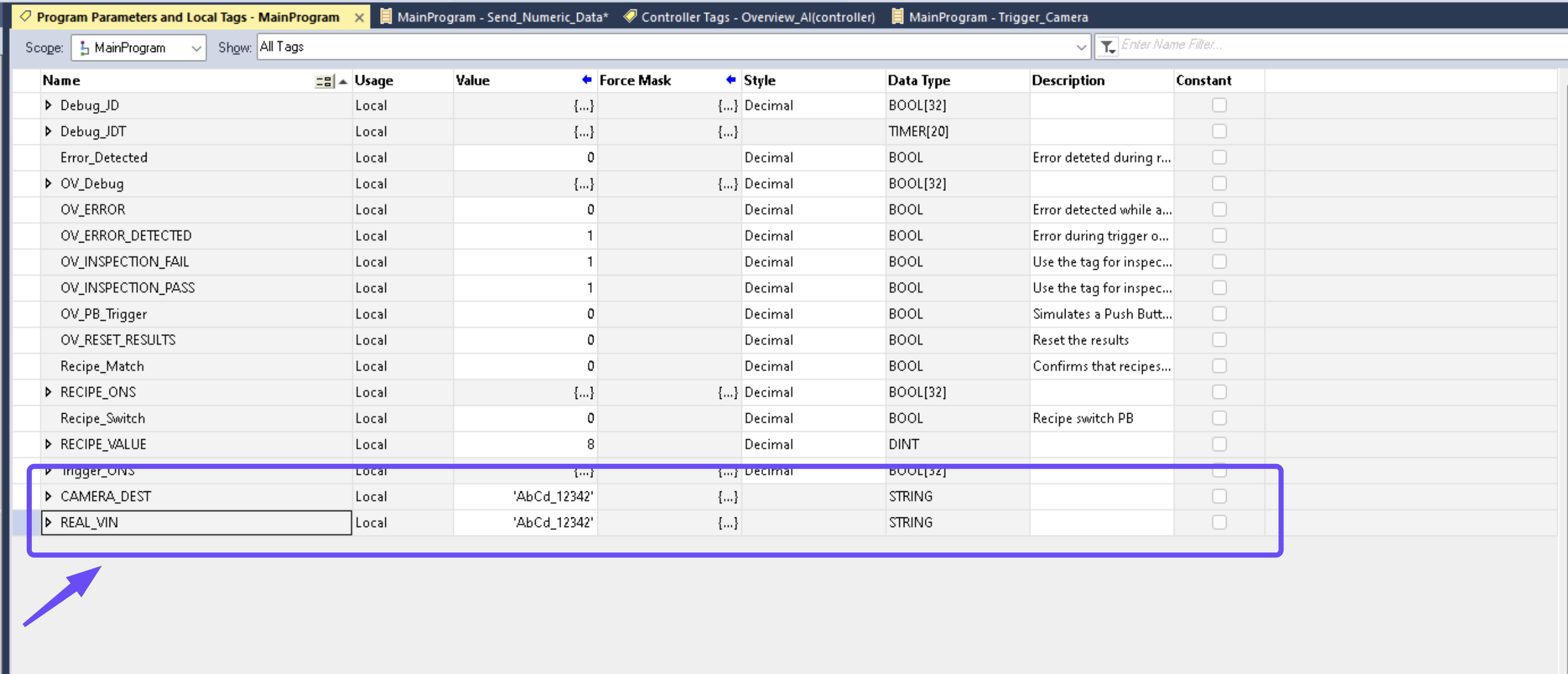
Start by creating two tags, one to copy data from the custom data tag and the other to move it on to the camera output tag. Both have to be a STRING data type.

自定义数据标签

步骤 2:为 Node-RED 定义字节序

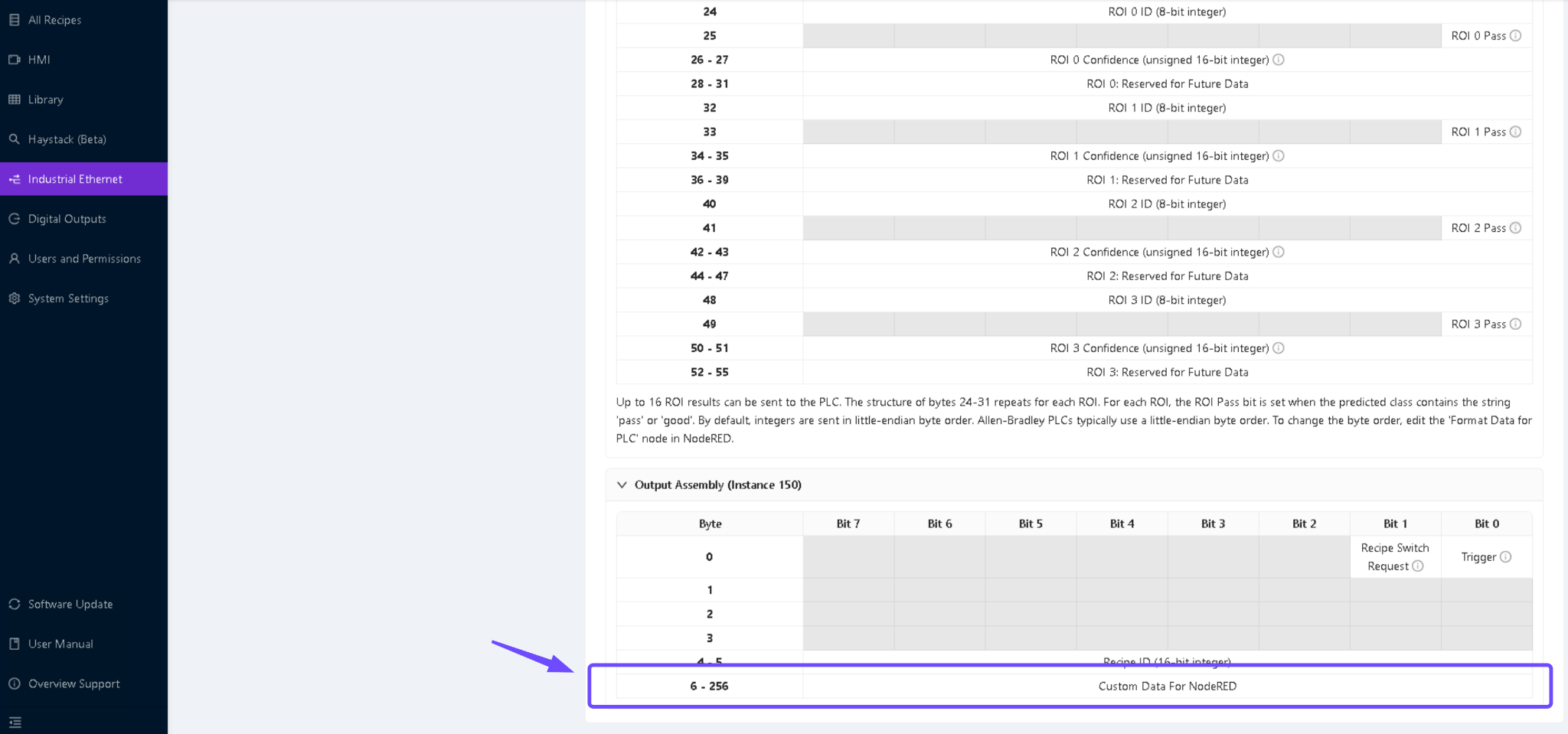
You can choose any byte order from the output assembly assigned for Node-RED. The byte order refers to how the data is formatted and transmitted.

为 Node-RED 分配的自定义数据字节序示例

步骤 3:开发触发逻辑

After creating the custom data tag, use the trigger logic detailed in [Trigger Using a PLC] to create a new set of logical instructions. The trigger logic should handle the camera's activation, ensuring that it captures an image whenever specific conditions are met.

用于发送数字数据的触发逻辑

备注

如果对同一个 VIN 触发两次,数据将不会在第二张图像中存储。请在发送新的数据之前清除数据。

步骤 4:在 Node-RED 中创建一个流程

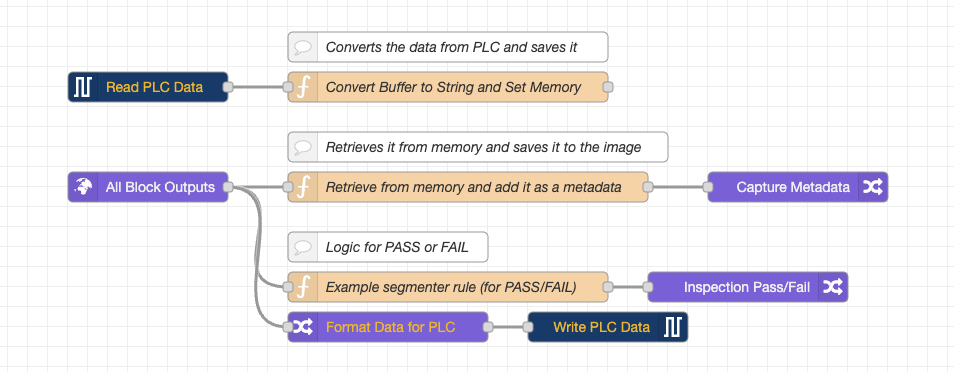
Create a new flow in Node-RED that mirrors the required functionality.

Node-RED 流程示例:发送自定义数据

步骤 5:捕获图像并关联元数据

After triggering the camera, verify that the image capture process is working as expected.

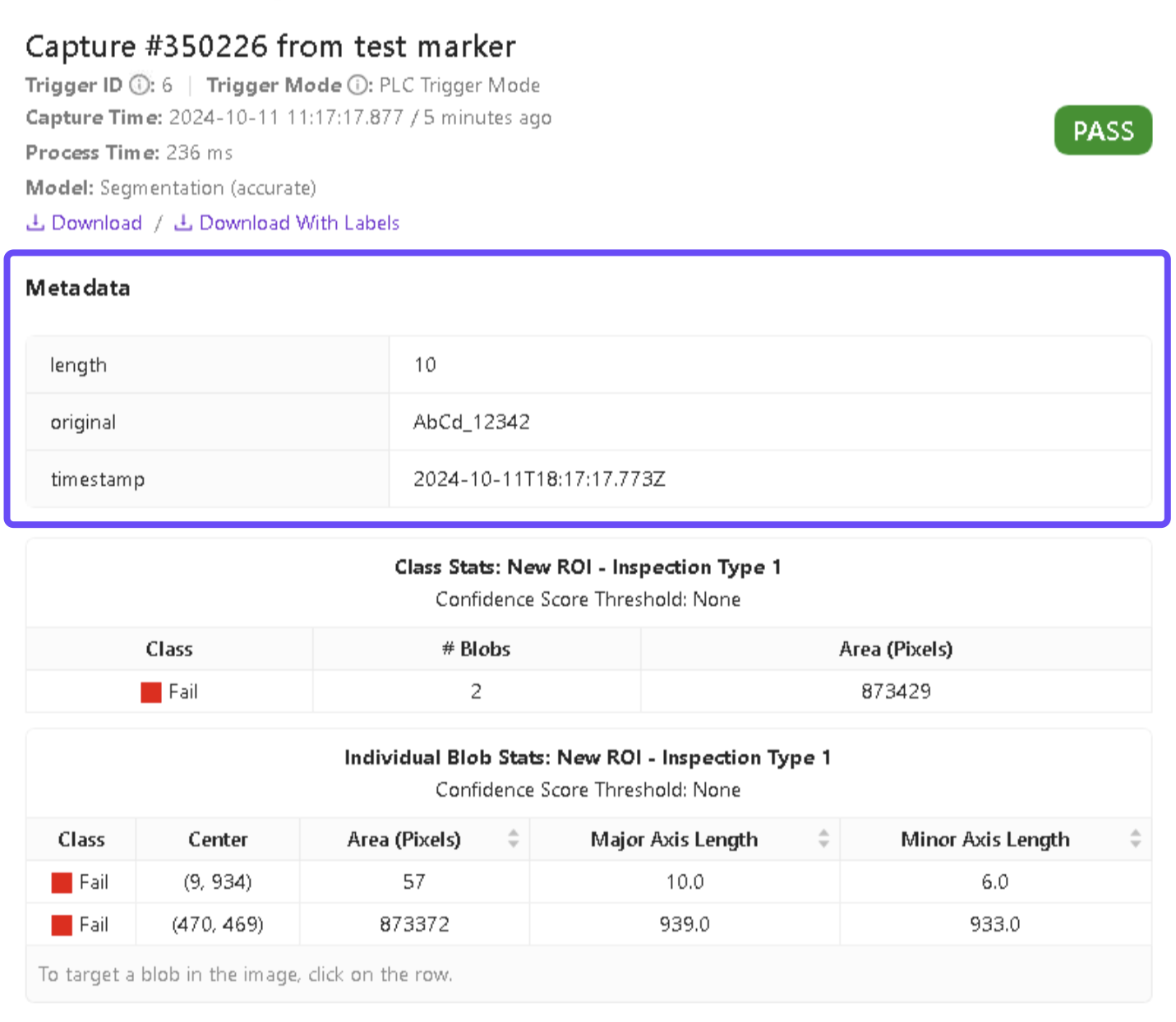
Ensure that each image the camera takes has metadata, including the custom data.

带元数据的图像捕获